If you've ordered with us before, your image files are already in your account gallery — ready to reprint, reframe, or resize in a matter of clicks.
When you create an account and place an order, every image file you upload is saved to your personal gallery. No need to re-upload, re-size, or re-calibrate — just sign in and pick up where you left off.
It's the same paper choice, the same sizing options, and the same fine art quality as your first order. You can repeat exactly, or change whatever you like — different size, different paper, different quantity.
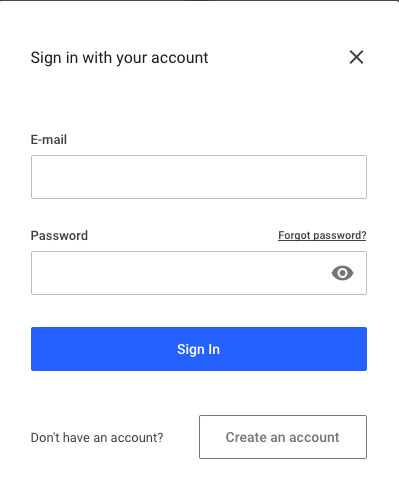
Head to our artstore and hit the Order · Login button. Sign in with the email address and password you used for your first order.
Forgotten your password? Use the reset link on the sign-in page — or give us a call and we'll help you straight away.
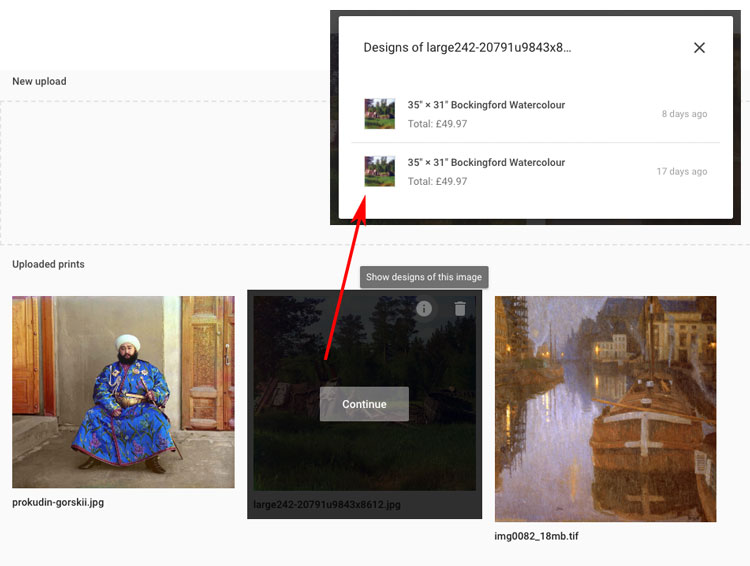
Once you're signed in, your previous image uploads appear as thumbnails under Uploaded prints. Scroll or scan for the one you want to reorder from.
Files stay in your gallery between orders — whether that's last week, last month, or three years ago.
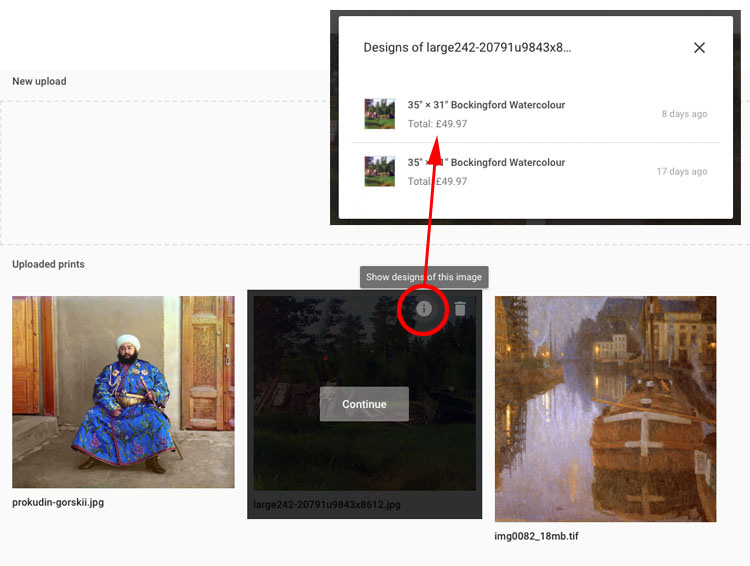
Hover over the thumbnail and click the "i" information icon. A panel appears showing every previous print order from that image — size, paper, total price, and how long ago you ordered it.
Click any of the listings to see the full details of that particular print order.
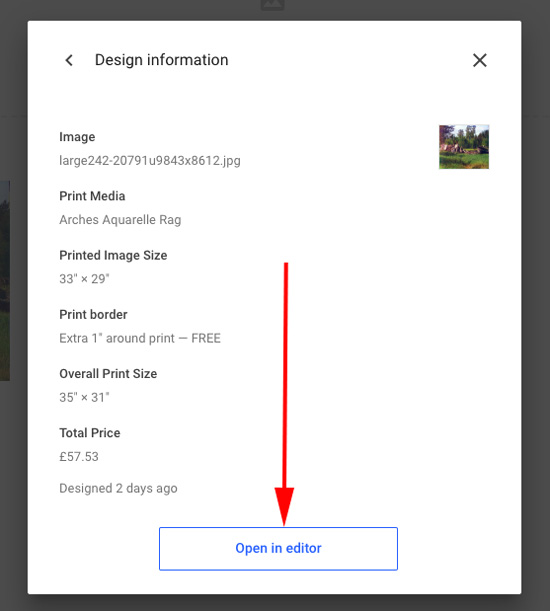
You'll see the full specification of that order — paper, exact dimensions, border, any notes. If this is the one you want to repeat, click "Open in Editor".
The image loads into the print editor with all your original choices pre-filled. From here you can reorder exactly, or change anything you like.
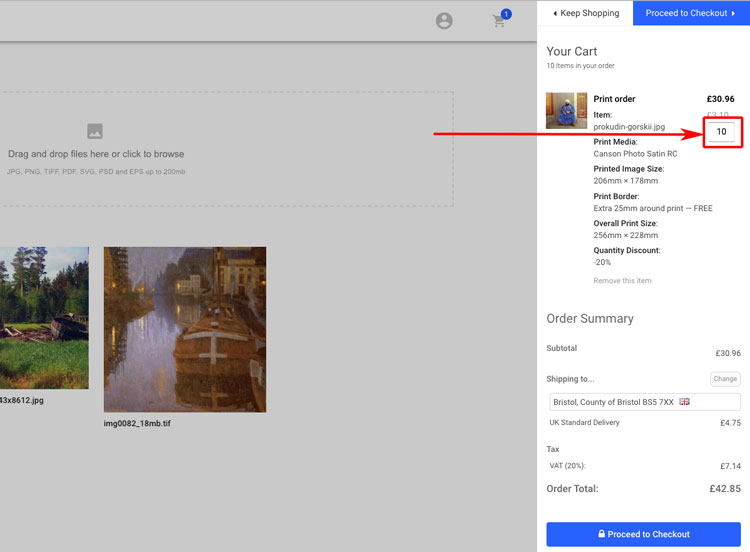
At the quantity step, enter how many prints you need. The price updates automatically to reflect any volume discount, from 10% off five prints up to 35% off 100+.
See our quantity discounts page for the full ladder, or just play with the number and watch your total adjust.
Every image you upload stays in your personal gallery, encrypted in transit and available only to you. We never use your files for anything other than your orders.
No re-uploading, no re-calibrating, no re-typing your delivery address. Sign in, pick the image, hit reorder — done.
Switch paper, change size, bump the quantity, or swap the border. Every option from your original order is available for adjustment — or keep everything exactly the same.
Simply place your first order through our artstore and you'll be offered the option to create an account as part of the checkout. It takes seconds, and from then on every image file you upload is saved to your gallery ready for the next time. Or, if you'd rather talk it through, call us on 0117 952 0105 and we'll walk you through it.
Head to the artstore, sign in, and your last upload is waiting. New to Redcliffe? Start a first order and we'll set your account up on the way through.